🏫 After-School Club · Classroom Battle Mode · Weekly Progression

Maths Club. 18 Students. Zero Worksheets.

By Week 4, students who started on 4×4 were choosing their own grid size. Three were competing in the 8×8 bracket against other schools. The club went from 18 sign-ups to a waiting list.

verified_user Free for schools · No IT setup · Runs in any browser

CLASSROOM BATTLE

Maths Club — Week 4

18 students

Game 3 of 5

CURRENT STANDINGS

BraveOwl_Pia1st · 8×8 · 5:43
LogicTiger_Dev2nd · 6×6 · 3:18
QuickPanda_Sam3rd · 6×6 · 3:41
+ 15 others playing...📊

Inter-class tournament qualifier in session

"Club's full!" 📋

Four Weeks. One Club. A Waiting List.

Ms Verma launched the after-school Maths Club with 18 spots. She'd been looking for something that could run autonomously once started — she could spend time working with individuals rather than managing a whole-class activity.

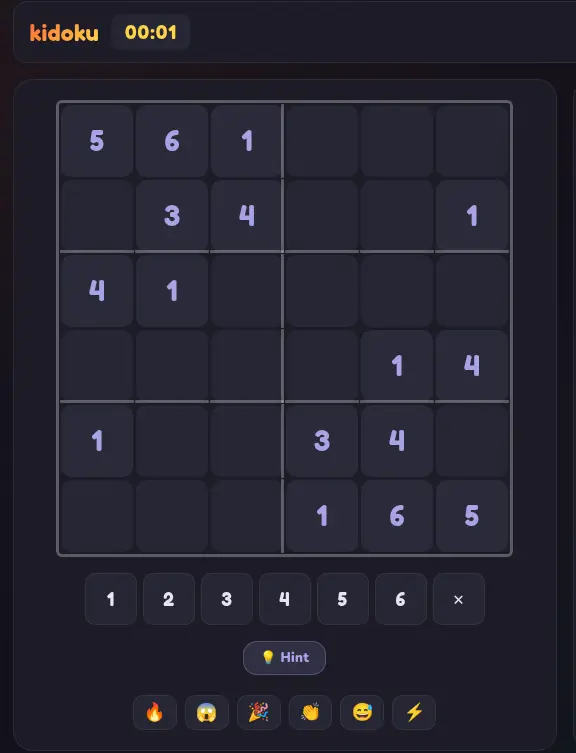
Week 1: she put every student on the 4×4. Room code on the board. Zero instruction beyond "each number appears once in every row and column." All 18 started within two minutes. Two students needed a hint. Sixteen figured it out from the grid.

Week 2: students arrived early and asked for the code. She moved fast solvers to 6×6. The rest stayed on 4×4 until they were consistently finishing in the top half of the leaderboard.

Week 3: she ran the first proper Grand Prix — five rounds, cumulative ranking. Students who'd been quiet in class were visibly animated about going from 8th to 5th in the standings.

Week 4: three students had outgrown 6×6. They wanted 8×8. She allowed free grid choice for the first time. Pia chose 8×8 and won the session outright — faster than students on smaller grids.

A Year 7 student mentioned the club to their parents. Three parents asked whether there was a waiting list. There wasn't. Ms Verma created one.

The 4-Week Club Progression

Start everyone on the same size. Promote by performance. The system self-differentiates.

1️⃣

Week 1 — 4×4

All students on 4×4. Room code on board. No explanation needed. Use the first session to observe — who finishes first? Who gets stuck? That informs Week 2 groupings.

2️⃣

Week 2 — 4×4 / 6×6

Move top performers to 6×6. Others continue 4×4 until consistent top-half finishes. Students track their own progress — no teacher announcement needed.

3️⃣

Week 3 — Grand Prix

Run a proper 5-round Grand Prix. Cumulative scores mean consistency beats lucky rounds. Discuss strategies afterwards. Students start coaching each other.

4️⃣

Week 4 — Free Choice

Students choose their grid. Some will surprise you. Run the inter-class qualifier. The best students test themselves globally, not just within the club.

What the Club Gives You That Worksheets Don't

self_improvement

Students Manage Their Own Progression

The leaderboard shows each student exactly where they are. They know without being told when they're ready to move up. The pressure to progress is internal, not from you.

group_work

Peer Coaching Emerges Naturally

Students who've mastered 6×6 start describing their method to students still on 4×4. You didn't create a tutoring pair — the game created it.

celebration

Students Talk About It Outside School

When a club session gets mentioned at dinner unprompted, parents ask about it. That's how your waiting list forms. The students do the marketing.

Club Leaderboard — Week 4

🥇BraveOwl_Pia8×8 · 5:43
🥈LogicTiger_Dev6×6 · 3:18
🥉QuickPanda_Sam6×6 · 3:41
4thStarFox_Eli4×4 · 1:58
5thSwiftDragon_Amy6×6 · 4:12
+ 13 more students in session

Safe for Schools. Free to Use. Works Today.

  • check

    No IT department needed — browser-only. Students open on school laptops or their own devices.

  • check

    No student accounts — room code joins only. No emails, no passwords, no consent forms.

  • check

    No external access — the room code is private. Only students you share it with can join.

  • check

    Free tier — no budget required. Run the first 10 club sessions at zero cost.

Run Your First Club Session
🏫

The club that builds its own waiting list.

Students mention it at dinner. Parents ask about it. The club grows itself.

FAQ

Frequently Asked Questions

Everything you need to know about Kidoku Live for this use case.

How do you run a sudoku after-school club?

Visit kidoku.app/live and create a private room each session. Students join with the room code — no accounts needed. Run a Grand Prix format: everyone plays the same puzzle, the leaderboard shows rankings live, the top three get recognition. Sessions take 20–40 minutes including discussion. No preparation between sessions is needed.

Can you run a competitive maths club with different skill levels?

Yes. Kidoku Live's differentiated grid sizes (4×4 to 10×10) mean beginners and advanced players compete in the same session without anyone being disadvantaged. A student on 6×6 can beat a student on 9×9 by finishing faster. The system automatically accommodates mixed ability without the teacher having to manage it.

Does Kidoku Live need IT department approval for a school club?

Typically no. Because Kidoku Live collects zero personal data from students and requires no account creation, most schools can deploy it without formal IT review. Browser-based, no installation, COPPA and GDPR compliant by architecture. If required, the privacy policy at kidoku.app is available for review.

How many sessions before students improve noticeably?

Most students show measurable improvement within 3–4 sessions. The improvement is visible on the leaderboard — positions rise as students develop scan patterns. This visible progress is self-motivating and a key reason after-school clubs using Kidoku retain high attendance without external incentives.

Can students compete against other schools?

Yes. Share the room code with another school's club. Both groups join the same room and compete on the same live puzzle simultaneously. The inter-school leaderboard shows mixed results — students can see which school's players placed where. This format is popular for inter-school maths competitions and STEM weeks.

Your Club Starts Tuesday. The Waiting List Starts Week 5.

Open kidoku.app/live. Create a Classroom Battle. Put the code on the board. Watch the room go quiet.

Free to use · No IT setup · GDPR-safe by design