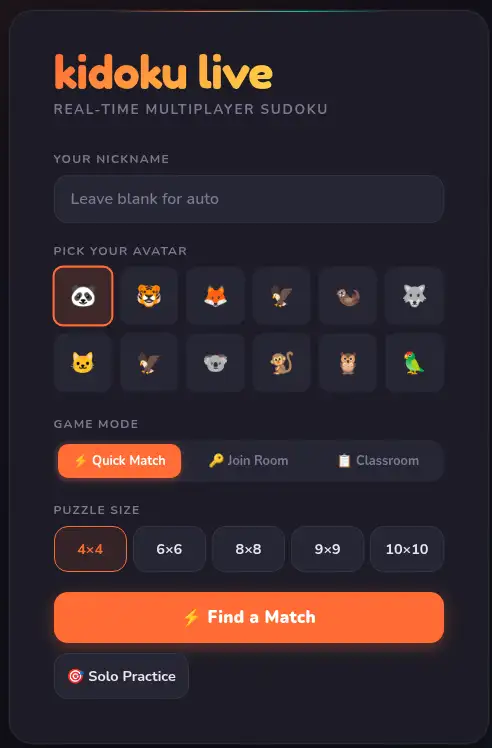
No CPD budget required. No IT infrastructure to provision. No student data stored because none is collected. No licence negotiation — start on the free tier today. Kidoku Live was built to eliminate every reason a school leader says no.
verified_user Free tier · GDPR-safe by architecture · No IT overhead
EdTech Evaluation ✓
No CPD or training required
No IT infrastructure to maintain
GDPR-safe — no student data stored
Free evaluation tier available
Works on any school device
DPO review: minimal. IT review: none. Finance: free tier.
Ms Mehta is head of a 420-pupil primary. She evaluates EdTech proposals through a standard mental checklist: CPD requirement, IT overhead, data/GDPR exposure, cost, and evidence of genuine educational value. Most tools fail on at least two criteria. Several fail on three.
Kidoku came to her attention through a maths lead who had been using it in Year 5 for three weeks. She asked the routine questions. CPD required: none. The game is self-explanatory. Teachers had never asked her about it, which meant they hadn't needed support. IT overhead: none. Browser-based. No school network configuration. Her IT coordinator hadn't heard of it, which was a good sign.
GDPR: this was the question she expected to return complexity. The answer was architectural, not contractual. Kidoku doesn't collect student personal data because it doesn't use student accounts. Auto-generated usernames. Session results are ephemeral. No DPA required beyond standard processor notification because no personal data is processed. Her DPO's review took eleven minutes.
Cost: free tier for evaluation with no time limit. School pricing available if the evaluation result is positive. She didn't need to involve finance for the evaluation phase.
Educational value: the maths lead provided session data showing 94% of students completing sessions, average time-on-task of 18 minutes, and teacher reports of increased engagement in logical reasoning tasks in the following lesson. That was the evidence she needed.
She approved the expansion from one class to a school-wide free tier in week four. The only question IT asked was whether they needed to whitelist the domain. The answer was yes. It took them three minutes.
School leaders evaluate tools against consistent criteria. Kidoku was designed with each criterion in mind.
Teachers use Kidoku without training. The classroom mode is a link and a room code. No instructional sessions, no video tutorials, no teacher handbook. If a supply teacher can run it in an unfamiliar classroom, your permanent staff can run it without CPD.
Browser-based. No install, no app management, no server. Your IT coordinator's entire involvement is to whitelist kidoku.app if your network filter requires it. Estimated IT engagement: three minutes. No ongoing maintenance.
The free tier is genuinely functional — not a limited demo. Evaluate in a real classroom context with no time pressure. School pricing for expanded access is available once the evaluation period produces a decision.
Students don't create accounts. No name, email, age, year group, or school name is collected at any point. Auto-generated usernames (CoolFox32) are the only identifier. Session-scoped. Not stored after the session ends.
Without personal data, there's no data processing relationship to document in the traditional EdTech sense. Standard processor notification applies. Your DPO doesn't need to negotiate a bespoke DPA.
The privacy architecture means Kidoku is safe for use in EYFS, primary, and secondary without age-differentiated data handling. No consent process, no parental opt-in, no content moderation regime required.
DPO Review Summary
Personal data collected
None — no student accounts
DPA required
Standard processor notification only
DPIA required
Not applicable — no special category data
Review duration
11 minutes (Ms Mehta's DPO, April 2025)
Free to evaluate. Zero IT overhead. Zero CPD budget. Teachers deploy it without asking for help. If it works in your school, you already know the cost of doing nothing: another lesson of disengaged students and another EdTech investment that required six months of support to run.
Free tier evaluation — use it in real classrooms before any budget decision.
Zero deployment cost — no hardware, no server, no software licence to manage during evaluation.
Teacher adoption without resistance — when teachers don't need training to use a tool, adoption happens organically.
No CPD. No IT. GDPR-safe by architecture. Free to evaluate. The first EdTech tool in a while that doesn't ask the school for anything it hasn't already got.
Everything you need to know about Kidoku Live for this use case.
No DPA is typically required because Kidoku Live collects zero student personal data by design. There are no student accounts, no names, no emails, no persistent identifiers. Without personal data processing, there is no data processor relationship to formalise. Most school DPOs confirm this after a brief review of the privacy policy.
Yes. COPPA compliance requires that no personal data is collected from children under 13 without parental consent. Kidoku Live collects no personal data from any user of any age. This design makes it compliant regardless of the age of the students using it.
No. Kidoku Live is a website, not an application. It requires no installation, no network configuration, no firewall changes, and no IT credentials. A teacher accesses it from any browser on any school device. The only IT consideration is whether kidoku.app is on the school's URL allowlist — it typically is, or can be added in minutes.
Kidoku Live is free to play. There are no school subscription fees, no per-student licences, and no premium tiers required for classroom use. An optional Kidoku Plus upgrade exists for individual users but is never required for any classroom function. Schools can deploy and use it at zero cost indefinitely.
The classroom mode includes teacher-controlled session settings: grid size selection, private room requirement, and session start/stop. There is no student account system to manage — students cannot create profiles or access the site outside of an active room session unless they have the URL. School ICT policy can restrict URL access at network level if required.
Schools that have documented their DPO review typically cover: data collected (none), data stored (none), third-party sharing (none), chat/communication features (none), account creation (none). Most reviews conclude in under 15 minutes. The privacy policy at kidoku.app provides the documentation needed for any formal review.
Free tier. No IT involvement. GDPR-clear from day one. Run it in two classrooms this week and decide from evidence, not proposals.
Free tier · No IT request · GDPR-safe architecture · No CPD required